AI Product Photo: Preparing Credible Visuals
Prepare product photos with AI: visual briefing, object fidelity, backgrounds, detail control, and image preparation for your store.
Select the link, then copy it using your device menu or Ctrl/Cmd + C.
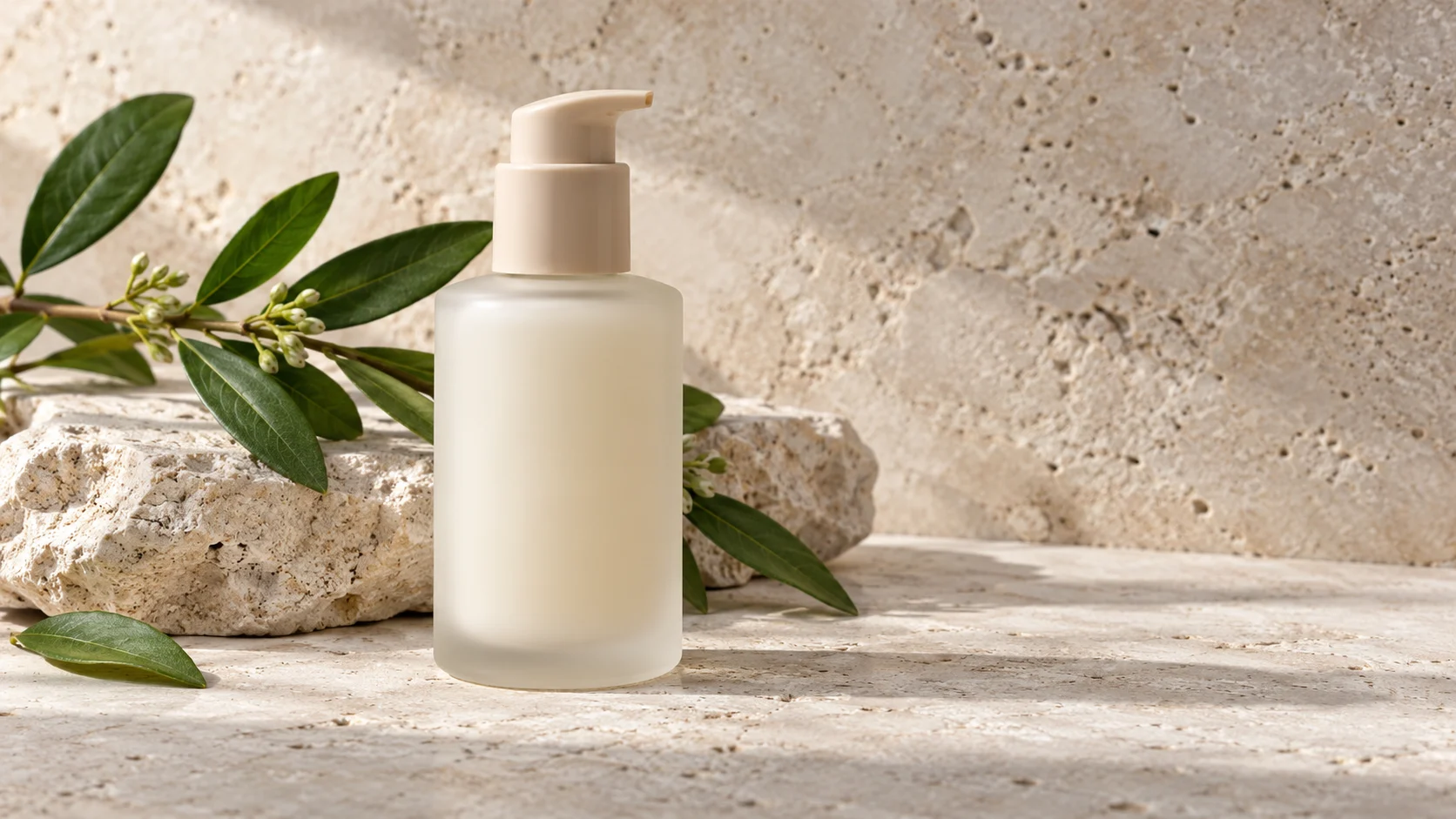
A bottle placed on a light stone can look perfectly real while featuring a pump different from the actual product sold. This is the main control task for an AI product photo: verifying the object's fidelity beyond visual quality. Beautiful lighting does not compensate for an incorrect shape, color, or accessory.
To prepare credible visuals, first distinguish the image that documents the reference from the one that evokes an environment. You can then define an appropriate brief and choose the necessary checks before placing the visual in your store.
Define What the Image Should Show
A main image helps identify the object and what is being sold. A detail view explains a material, closure, or finish. An ambiance scene shows a possible context. These roles require different compositions and should not be confused in a single brief.
Write down the question the visual answers: "What is the shape of the bottle?", "How does the container open?", or "In what environment should this range be presented?" If you want to show several things, prepare multiple views. Adding accessories around the product does not make its shape more readable.
For a reference whose details must be exact, keep control photographs of the real product. An image generated from a description alone does not constitute proof of its geometry or appearance. If your tool allows using a reference, still verify every detail of the result.
Prepare a Visual Reference Folder
Gather sharp front, profile, and top views if useful. Add necessary measurements to understand proportions, the approved color, and the list of elements sold together. Indicate what must remain identical in all images: cap, handle, number of pieces, seam locations, or base shape.
Also note details difficult to reproduce: translucent material, metallic reflection, engraving, label, or shiny surface. Close inspection will be necessary. If precision is insufficient, use a real shot for the concerned view rather than presenting an approximation as a product detail.
Sort references by variant. A successful background for a green bottle should not become the visual source for an amber bottle if it blurs their differences. Name files explicitly to avoid selection errors during integration into the store.
Write a Scene Brief That Remains Controllable
Describe the subject, support, background, lighting, and framing. Then specify the product invariants and elements to exclude. Indications like "natural," "premium," or "realistic" are too broad if not accompanied by visible details: contact shadow, matte material, side lighting, and coherent proportions.
Fictitious example for an ambiance image, without claiming to represent a marketed reference:
Realistic product photograph, horizontal framing. A fictitious cosmetic bottle in ivory frosted glass with a matte beige pump, placed on a light limestone stone. A few green leaves in the background. Soft light coming from the left side, visible contact shadow, subdued reflections. Entire bottle, base and pump in the frame. No text, logo, or additional accessory. The product must remain placed and present regular geometry.
The realistic image prompt guide deepens choices of lighting and composition. Start with a simple scene. Then add a single element if you can explain its role: provide scale, evoke a use, or support a range color.
Examine the Product Before Evaluating the Ambiance
Open the result at a sufficient size and compare it to the reference folder. Start with the silhouette: relative height, width, expected perspective, and symmetry. Check functional parts, then materials and colors. Finally, look at the lighting and background. This order prevents a convincing ambiance from distracting attention from an object error.
- Does the number of objects and accessories correspond to the offer?
- Are handles, pumps, seams, and closures consistent?
- Does the product actually rest on a surface?
- Do shadows and reflections follow the same lighting?
- Does a label or texture contain distorted signs?
- Does the background suggest a use that the documentation does not confirm?
Keep a validation note per image. "Nice visual" is not a sufficient criterion; "cap shape compliant, color to correct" allows action. If the image remains illustrative, clearly indicate this role in its publication context.
Prepare a Coherent Series for the Store
First validate a reference image with its framing and lighting. Then develop the series keeping these choices stable. It will be easier to compare variants and spot an unintentional difference. Keep originals separate from versions prepared for the site.
At integration, check framing on mobile, file weight, and sharpness of useful details. Google's image documentation notably recommends relevant context and appropriate descriptions. So write alternative text that describes what is visible without stacking commercial expressions.
Prepare adapted versions if the visual must serve a newsletter: the product must remain understandable in the actually displayed format. For images accompanying a guide, the blog internal linking can direct the reader to explanations or useful complementary pages.
Prepare your visual brief with CREZOVA's writing templates, then check the obtained images with the product folder before commercial use.
FAQ: Choosing the Right Place for AI Visuals
Can a generated image replace all photos?
Evaluate each view according to its role and required precision. Manufacturing details, perceptible dimensions, and mechanisms require verifiable fidelity. Keep real shots when generation does not allow this control.
How to keep a visually coherent collection?
Reuse an approved brief with the same lighting, shooting height, and background type. Change only the information necessary for the reference. Compare images side by side before validating the series.